
Google Sheets add-on
Form2PDF
Form2PDF takes a form-response row, fills a format tab you set up, and saves a PDF in a Form2PDF folder in your Drive. If you turn mail on, it sends that PDF to the address on the row.
Form2PDF runs in your Google account. Response data, the format, and the PDFs stay in your spreadsheet and your Drive. Gentle Reminder does not receive that data.
How it runs
One row becomes one PDF.
Set the format
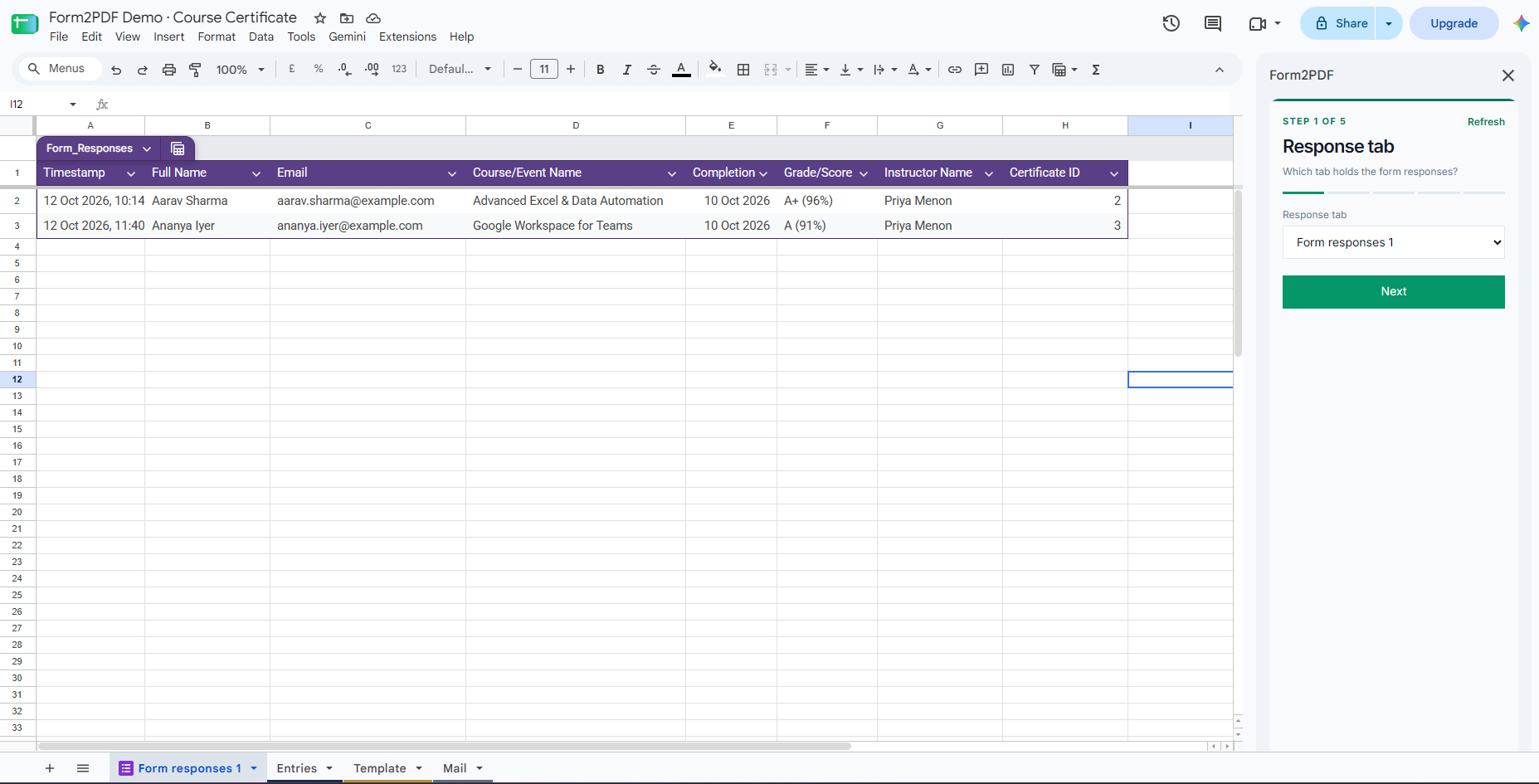
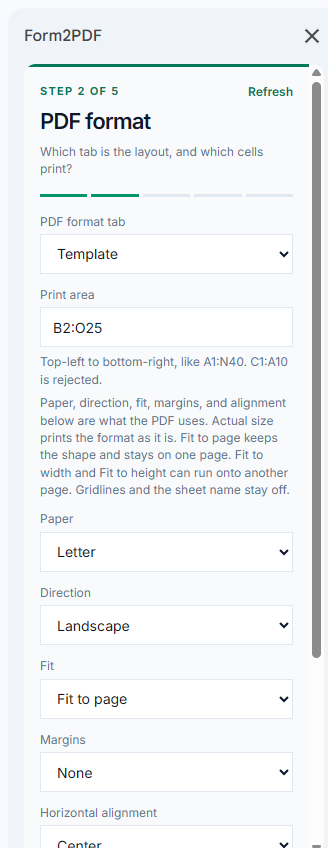
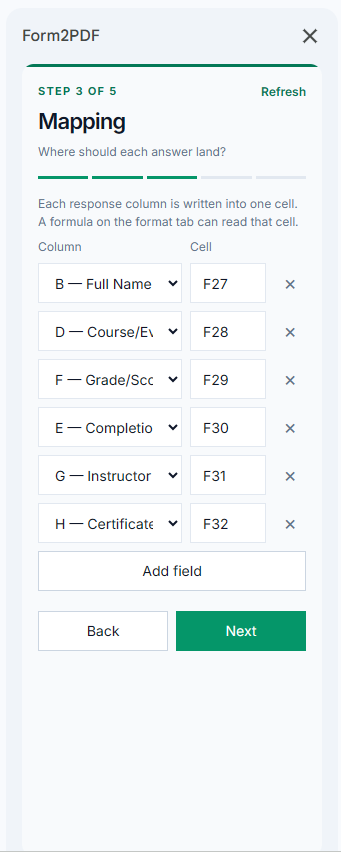
Choose the response tab, the format tab, the print area, and the column-to-cell mapping.
Run
Run makes the PDFs that are still waiting and saves them in a Form2PDF folder in your Drive.
Schedule or mail
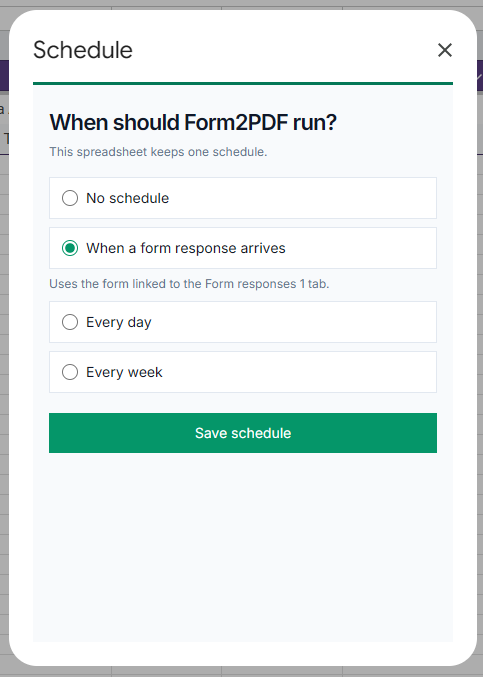
A schedule can run when a form response arrives, or during a daily or weekly hour. If mail is on, the PDF goes to the address on the row.
In the sheet
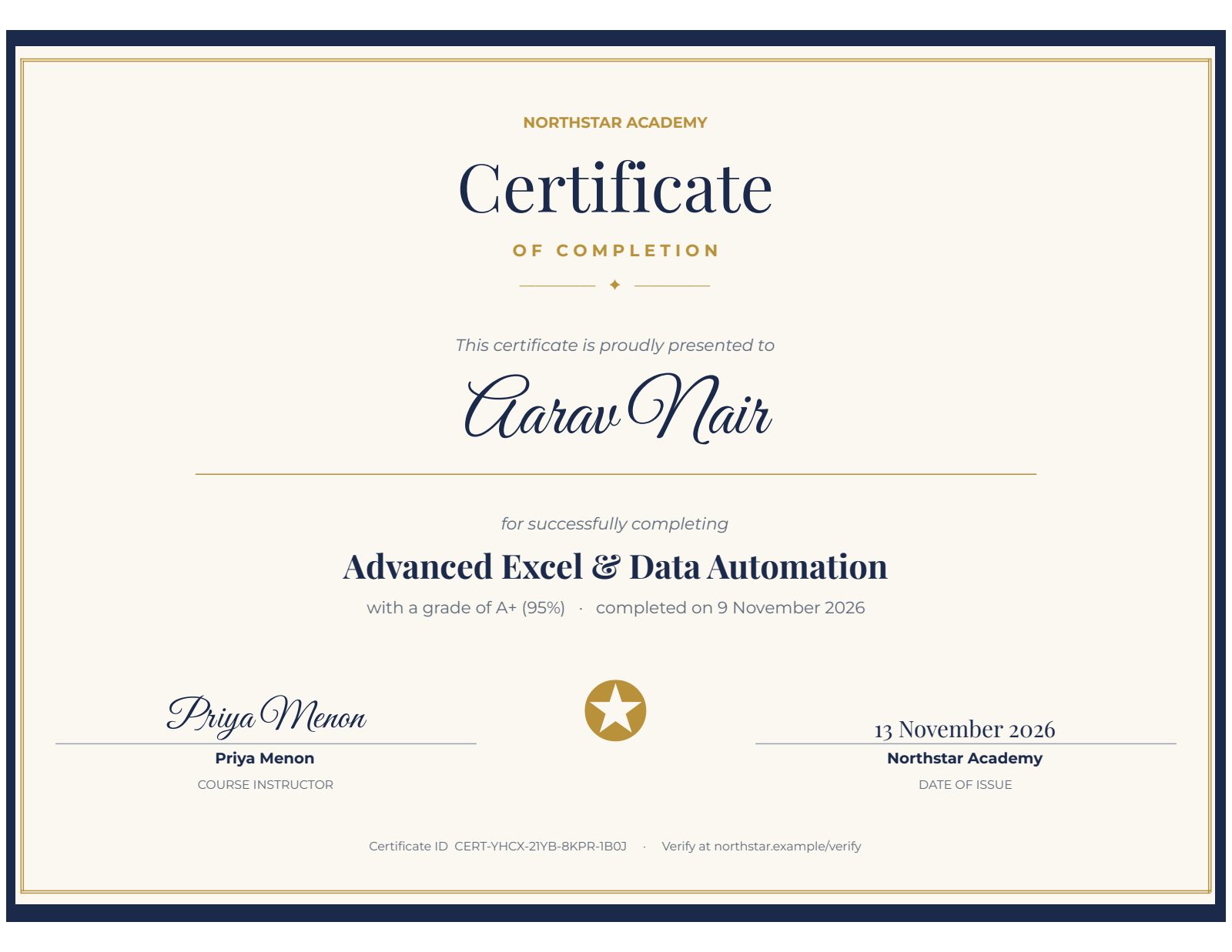
The responses stay where they are. The PDF is a print of a tab you design.
Responses and setup
Format
Mapping
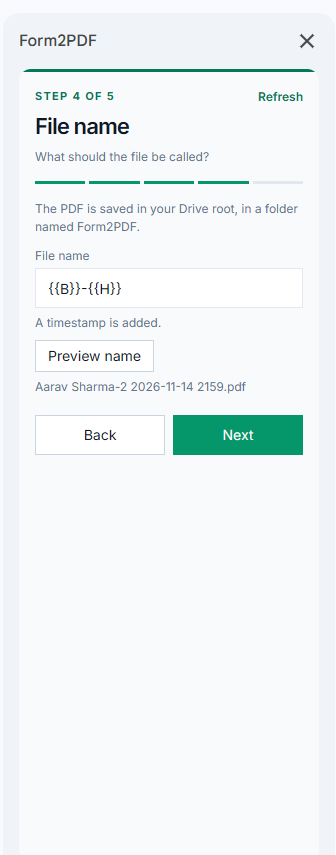
File name
One print of that tab
Schedule
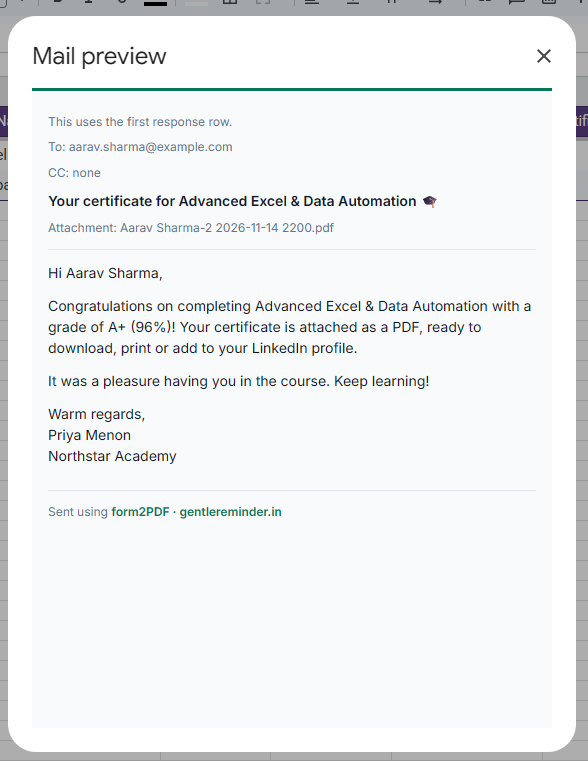
Mail preview
FAQ
Common questions
- How customizable is the format?
- The PDF is a print of a sheet tab you design. Fonts, colours, images, merged cells, and formulas are whatever you put on that tab. Form2PDF writes each answer into the cell you choose, then prints the area you mark. The layout is an open canvas in the sheet.
- Is there one format for every response?
- Yes. The spreadsheet uses one format tab and one print area. Each response row is written into that same layout, then printed.
- Can the format use formulas?
- Yes. A formula on the format tab can read the cell where an answer was written. The PDF shows the calculated result.
- Where are the PDFs saved?
- In a Form2PDF folder in your Drive. The add-on creates that folder. The files stay in your Google account.
- Can it email the PDF?
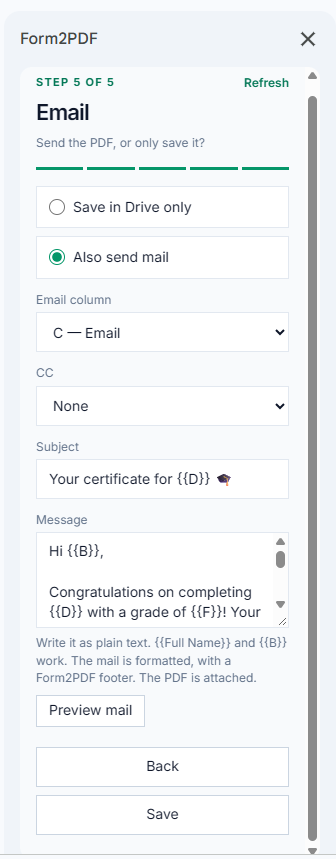
- Yes, if you turn mail on. The message goes to the address on that response row, with the PDF attached. You can leave mail off and only save the file.
- When does it run?
- From the Form2PDF menu, with Run. A schedule can run when a form response arrives, or sometime during an hour you pick, every day or every week. A daily or weekly run starts during that hour, India time. It cannot start at an exact minute.
- Where does the response data go?
- The response rows, the format, and the PDFs stay in your spreadsheet and your Drive. Gentle Reminder does not receive them.
Questions: contact us or hello@gentlereminder.in.